I know a bunch of you are traveling or otherwise engaged with family and holiday activities. Therefore, there will be no in-person meetup on Monday 12/27.
However, I will likely be online, assuming I make it home on time. I have to pick up some auction stuff in Maryland in the afternoon.
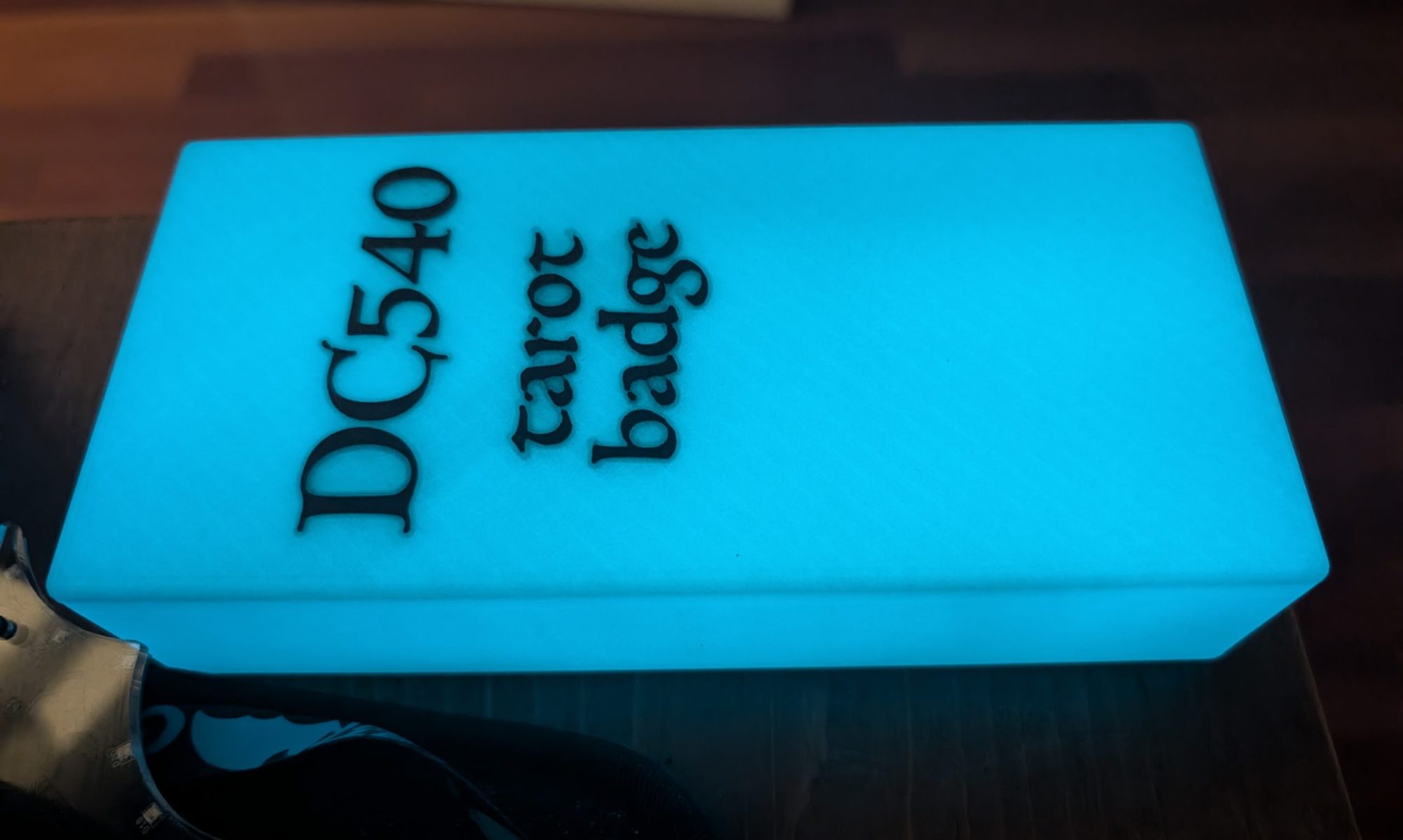
I’m very excited about the badge discussion we had last week, and look forward to further discussions with those who have been read in to the project. I’d like to see what thoughts you’ve had since last week.
So I finally put shiny white wallpaper on that long table at which we normally convene, and I thought, since it’s starting to shape up in there and the table is clear, perhaps we should have a minor little holiday gathering of some sort, and maybe our little death cult could recreate the last supper?
In other words, hybrid again Monday, I’ll restock the beer by then. Dress in your holiday finery. Be photogenic unless you’re in the witless protection program. We can discuss food options in the Discord over the weekend.
Show up in person or stay virtual if you must. We’re getting a little better at Hybrid.
Maybe we can talk Kevin into walking us through an RE challenge.
Maybe we’ll talk someone into drinking Malört.
Maybe the asteroid will show up early and obliterate us all.
I’ll be burning wood again during the meeting. If anybody wants to burn a custom holiday ornament, I have extra blanks. Bring a round image. 85mm x 85mm at 300dpi is optimal, but the software is very forgiving.
Actually, no, I take that back. Making that association would give evil a bad name. Parallels hijacks media file associations and routes them to Windows VM!
Installed Parallels on my M1 Macbook Air so that I could have a Kali VM when I needed it.
Eventually installed a Windows VM for reasons.
Then I noticed that Parallels had hijacked some of my media file associations so that when I clicked on MP4 or AVI files, default behavior became “Launch Windows VM and play it using Windows Media Player.” On what planet is this desired or acceptable behavior?
Of course, I undid it. Finder/file/Get Info/Open With/make change/for all. But part of me wants to meet the people that thought that would be a good idea and educate them with a hemlock cocktail. Is this simple pseudo-benevolent scope creep, or is this evil payola? I’d like to believe that the number of people desiring media to play inside a VM is less than 1%. It’s the least efficient way possible to play media. The only thing worse would be if, when you click a media file, someone is dispatched to your door to play it on their phone for you.
This evening we’ll be hybrid. If you just need to get away from your miserable home and have a beer with other adults who know what you’re talking about when you talk nerdy, feel free to come by. We’ll also stream to Discord for those who are too busy and self-important to hang with your friends. 6:30 in the usual place.
If you’re like me and you’ve linked many, many applications to FreeIPA, you probably have a pretty good sense of how to go about it, and in some cases you can use an app’s authentication subsection without even consulting the Great Oracle Of Grand, Legitimate Experience.
At least, this is usually the case with me.
Not so much with Zabbix. The interface was so deceptively simple that it threw me off.
Here’s what I discovered. Some from forums, some from less-than-obvious documentation, and some from twiddling knobs.
To even get an LDAP configuration to pass a test and authenticate a user, the bind user needs to be described in a full DN. This isn’t completely out of left field, I’ve seen a few implementations require this, although I prefer just providing a username and password.
You also need to add “cn=compat” preceding your base dn in the LDAP configuration page.
Here’s where it screwed me. I expected, after passing a test, that if I switched to LDAP authentication it would just work. Not so. There’s a brief mention of it in the docs: “Note that a user must exist in Zabbix as well, however its Zabbix password will not be used.” So here I was trying to authenticate an LDAP user after switching to LDAP authentication, and wondering why it doesn’t work. It’s because this implementation doesn’t sync users.
Also the internal Admin user no longer works after you switch to LDAP. I went through a couple rounds of resetting it by MySQL (“update config set authentication_type =0 where configid=1;”) before the light bulb turned on — just uncheck “Case sensitive login” and you can use your LDAP admin user. At that point I created local users to match my LDAP users, and gave them the rights I needed. In the end, it seems like the Zabbix implementation is only using LDAP for authentication. Nothing as fancy as something like Zammad’s LDAP implentation, which maps LDAP groups to roles in the application.
One more thing when creating a user, the UI says the password is optional when it’s an external user. This isn’t exactly true. Maybe it won’t be used, but it wouldn’t let me complete the form without a password. So make it a strong one.
Anyhow, I hope this helps someone someday. I found precious little online, and if I had it spelled out for me like this when I was looking, I would have been finished much faster.
Friend of mine ground-scored a laptop that was left in a college locker at the end of the school year. Visible screen glass damage from a violent corner drop, but still powered up and displayed just fine. Cute little unit, a Lenovo Flex 3. The screen flips around 360 to turn it into a tablet.
Anyhow it hadn’t been wiped. Windows 10, one known username, password unknown. A quick Google gave me something to try. Boot Windows 10 USB installer, go to command prompt, copy c:\windows\system32\cmd.exe into c:\windows\system32\sethc.exe (the sticky-keys notifier).
Boot the machine normally, and when it gets to the login, hit left-shift five times. Instead of the sticky-keys notifier, you get a command prompt. All I had to do at that point was change the user’s password:
net user (username) (new password)
I could immediately login as that user. Not much in terms of payload immediately visible. Hardly anything in documents, fewer than 30 photos saved, no custom apps. Oh wait, let’s launch mail (this machine is not connected to the Internet). Bingo, user’s complete historical Gmail up until the machine was last used. Conveniently saved to the laptop for me to rifle through looking for other useful data.
Moral of the story? Encrypt your home directory.
I suspect if I gave it internet access it would try to reach out to Google and raise an alarm for suspicious login and force reauthentication. Would that cause me to lose the existing emails I have already correct: That’s a question for another day.
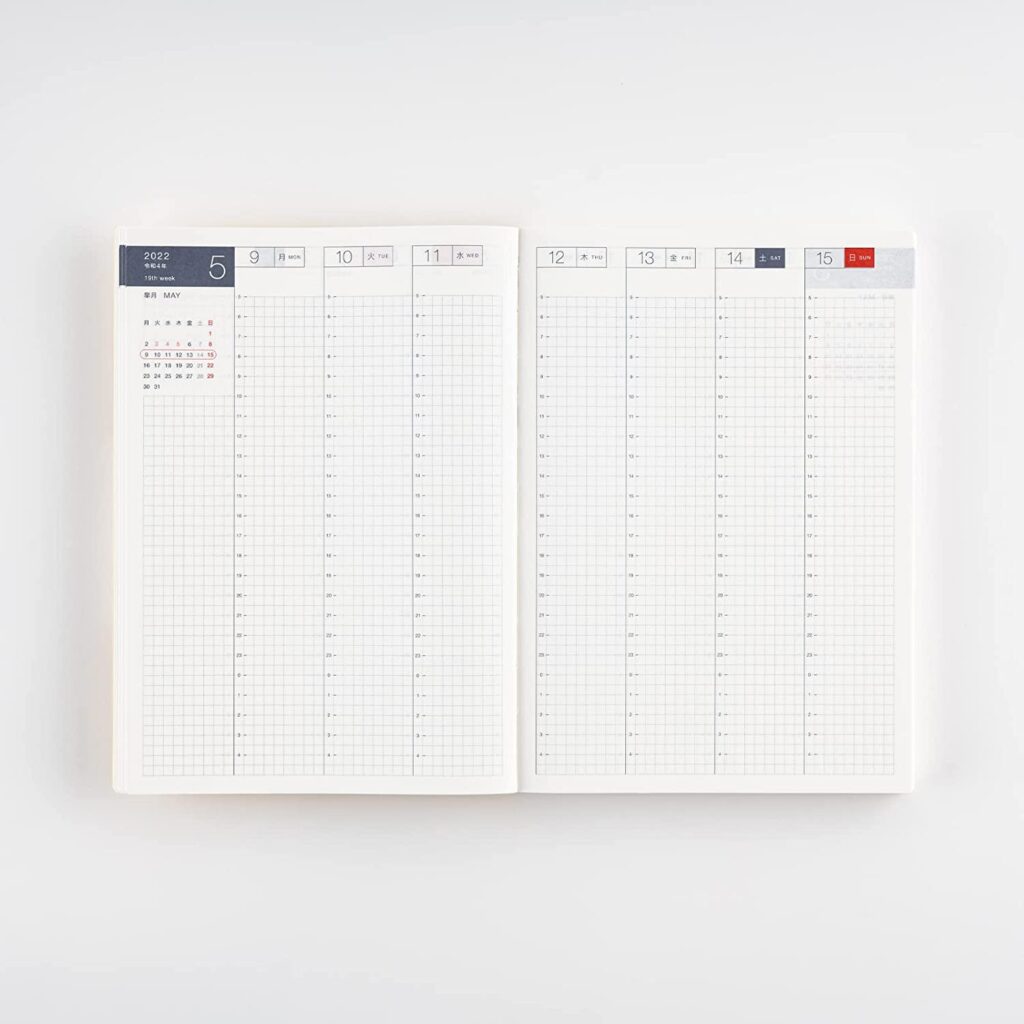
My daughter is obsessed with planners. Her class notes are works of art. She’s done bullet journaling. Her last planner was a Passion Planner. She’s home from school for a couple of days and showed me her latest acquisition. It’s a Hobonichi Techo Cousin. It’s got pages for viewing a month at a time, a week at a time, and then a page per day. Every page is high-quality bleed-resistant paper with small graphs, which is very conducive to writing neatly with small handwriting. I was instantly attracted to it.
Then she showed me how the cover is already starting to bend, so everyone usually gets covers for it.
The journal is $54 on Amazon. This seems like a lot, but with so many pages of very thin high-quality paper, it’s probably still a good price. But the covers — my god, there are covers people are charging over $100 for. I guess in the planner cult, you’re judged on how elite your planner cover is. 🙂
There is also a five-year version of the Hobonichi. Can you imagine a five-year planner? I cannot.
I’ve been taming my homelab network. All the VMs I’ve installed to try out software that I eventually deploy at work, the few administrative VMs I need for my own “stuff,” etc., and I was pleasantly surprised. Turns out that most of my stuff is reasonably up to date, a bunch of CentOS 8 VMs, a few recent Rocky 8 instances, a few Ubuntu servers, and one lone CentOS 7 instance.
So I decided I no longer want to support CentOS 7, and since everything’s on ESXi, it’s easy to attempt the CentOS 7 to 8 update I found here: https://www.tecmint.com/upgrade-centos-7-to-centos-8/
Everything sailed smoothly until the actual package update step. Obviously it’s a lot of packages, etc., a lot of opportunities for things to go wrong. And a couple wrinkles did expose themselves. One was MariaDB and the other was the FreeIPA client. And since I took a snapshot before starting, I felt pretty free to experiment.
So fuck it. I backed up the MariaDB database itself just in case, and deleted the package.
The fuck it, I can recreate the FreeIPA config if need be. Deleted the package.
Some other minor stuff came up as blockers, the rpmconf package, etc., deleted them too.
Ran the upgrade, it went all the way through. Then I simply reinstalled the MariaDB server and the FreeIPA client using dnf, and they both picked up their original configurations and just worked. I love it when that happens. No there’s no more CentOS 7 on my network.
Hope y’all can make it. How’d you spend your weekend? I worked a bunch Saturday, made some hellacious progress on a project I’m involved in. Then I saw Dune with my kid on Sunday. Spent all the in-between time laser-burning holiday ornaments and taming my home network with Ansible, Zabbix and Observium.
An unnamed member left his bottle of Four Roses Single Barrel last week, and it’s taking a bit of restraint for me to ignore it. But the way I see it, liquor that’s brought to an in-person meetup is not a donation; it stays where it was left until the next in-person meetup.
These are the blanks I chose for the holiday ornaments:
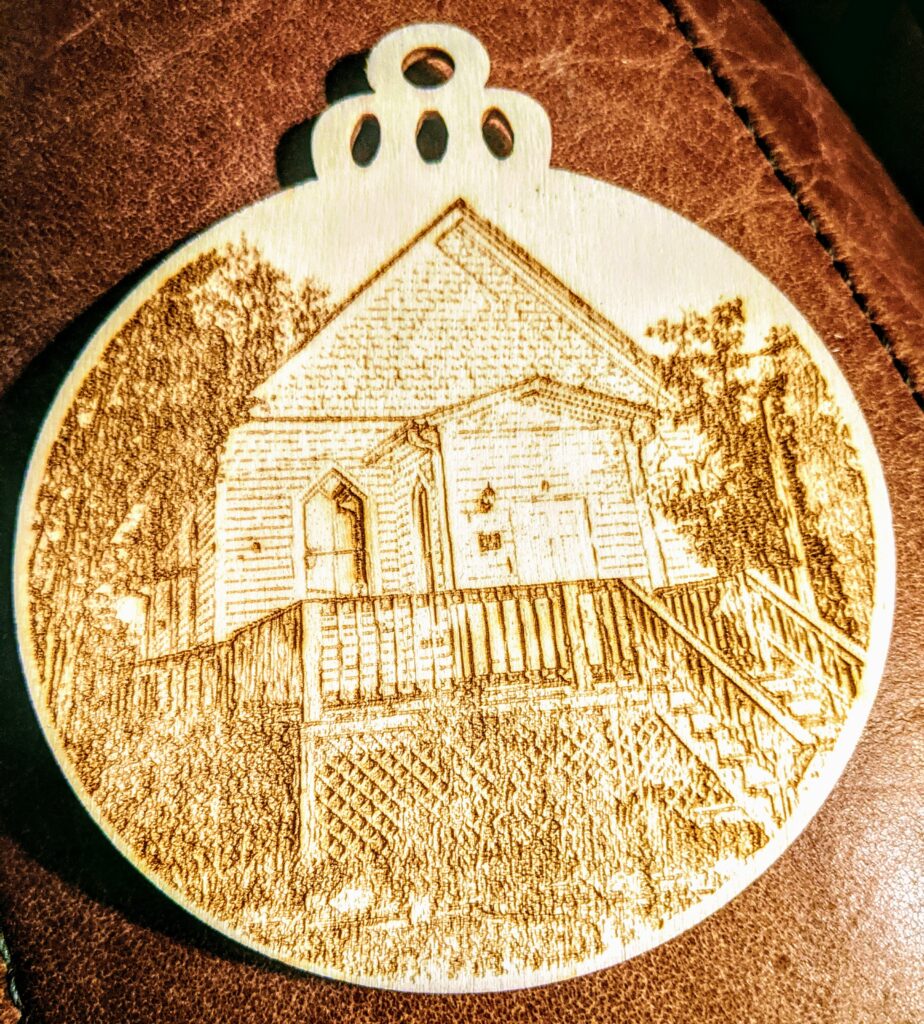
It’s a nice set, it comes with 100 ornament-shaped blanks that burn pretty evenly. On my engraver I have S-MAX set to 325 and a speed of 1000. The set also comes with string. Here’s an example of an ornament I burned with a photo of the UU Church in Leesburg:
Now that’s got me thinking I should make some DC540 ornaments. Open to suggestions for design.
We’re meeting this evening in the usual space. You know, that place where we put that thing that time. Costumes are encouraged. Someone will probably live-stream it on Discord for those who can’t make it, but come on out.
We’re in person tomorrow. Likely someone will make it hybrid but I’ve proven useless at dividing my attention between virtual and IRL, so I tend to focus on the IRL. After all, that’s where the booze is.
Anyone who has come to previous meetings is welcome. If you’ve only met us virtually hit one of us up if you’re interested in attending. We prefer to vet strangers because it’s a private space.
Optionally, bring a snack or festive bevs to share. This seems to be shaping up to be one of the larger in-persons we’ve had in a while, this could be interesting.
Indoors vs outdoors is currently unknown. WX report indicates rain possibility around meeting time of around 50%. We can handle either, but if you can’t, that’s on you. Please be vaxxed and/or masked if indoors. None of us want the delta variant.
Activities: laser engraving, staring at psychedelic lighting, and badge thoughts for DC30.
In the backyard. 6:30. If anyone wants to try laser engraving, bring an image on a flash drive. 1.5″ round, or 2.5 x 3.5″ rectangle. Take home a souvenir of your obnoxious insensitive nerdy friends and their messy habits. I’ll try to have the pizza show up around 7.
Obviously DC540 lives on, but I really don’t feel like Meetup is worth the cost. They make it surprisingly obscure to shut down. The default is to “step down as organizer” allowing any rando who’s joined your group to take over. Anyhow, y’all can still find us here, wherever it is that you see this message.
This week’s meeting will be on Discord. The basement needs some TLC after the last couple of frantic weeks since Defcon. And I need a break from solder fumes and new-PCB smell. Short reprieve while the next batch is on the way. A Discord meetup is a great time for new folks to join in and meet the group, and we welcome you. The Discord link is on the website, and we meet in the Monday meetup voice channel. Please show your beautiful faces, even if they’re ugly.
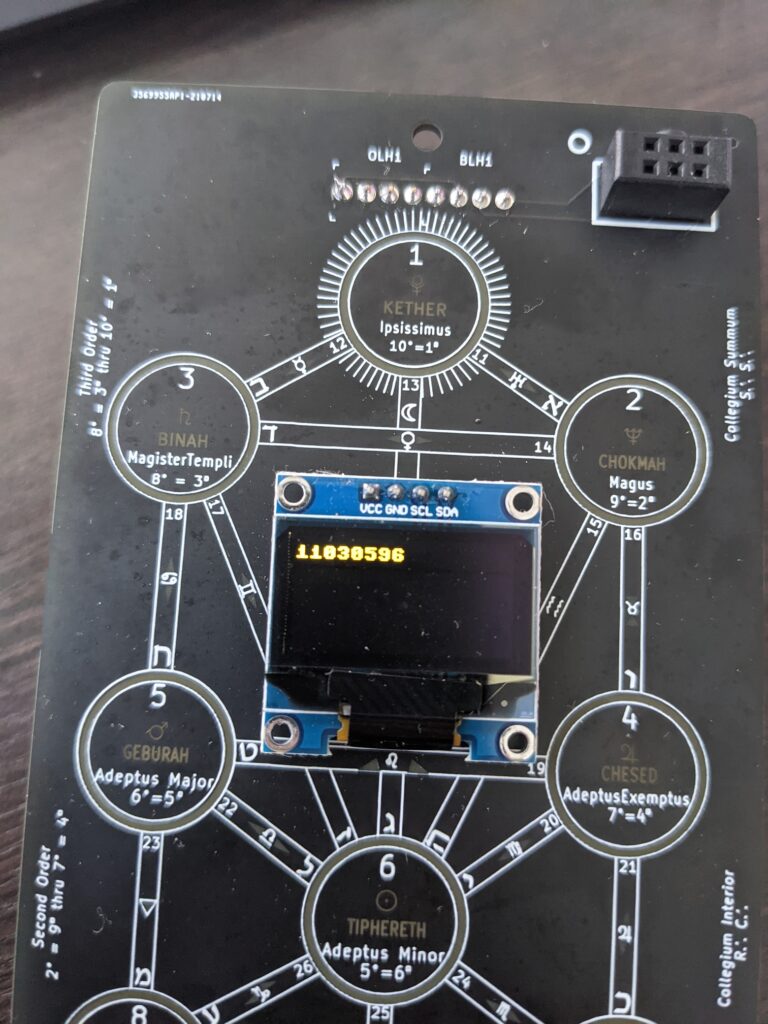
Following up with conversations we had with a few acquirors at Defcon, we have opened a public repo for the Tree of Life badge.
It contains hardware pinout documentation, and the stock .UF2 firmware.
This is so that people can feel a comfort level throwing MicroPython on it, or their own home-rolled firmware, and access all of the components, and have a place to come back to if something goes poopy.
We’d love to see what you come up with! I hope we got all the pinouts correct. Feel free to open an issue if you have any questions.
How to Enter the Answers: – Once you get the Answer, go to the http://dc540.org/question.html website and enter in the Question number, the answer, and our badge ID. Take the eight-digit number (unique to your badge) and enter that into your badge. – A couple of notes: even if you put in the wrong badge id or answer, an 8-digit code will be returned, so be careful. – When entering the numbers into the badge, make sure to lock in each number with the right button and then submit. If the answer is wrong or you didn’t submit correctly, you will be dropped out of the game answer area. – There is a Discord invite on our main DC540 page but look for the dc540-tree-of-life-badge room.
Game 1: Crossword Puzzle – There is a Hitchhiker’s themed crossword puzzle on our website or the one included in your bags. Complete the crossword puzzle, snap a picture of the completed puzzle with answers written legibly and send it to us on Twitter or Discord IN A PRIVATE MESSAGE with your badge ID (that 16-digit sequence starting with an ‘e’). You can also deliver it to us in person. Once we verify you completed the puzzle, we will send you the answer code to enter on the badge. Our Twitter Handles and Discord Usernames are at the bottom of this instructions. – https://crosswordlabs.com/view/dc540-2021-badge
Game 2: Lockpicking Challenge – Go to the lock picking village and learn how to pick locks. Videotape yourself picking the lock and send us the video to our DC540 Twitter with all the hashtags or feel free to also send it to us privately. Once we verify you completed the challenge, we will send you the answer code to enter the badge.
Game 3: DC540 Website – Check out the ‘History of the DC540 badge’ and enjoy the pictures on our website.
Game 4: Twitter Challenge – We have hidden some information on our DC540 Twitter Page. Nothing too complicated but check out our feeds, find the information and decrypt.
Game 5: Scavenger Hunt – Make sure to be courteous and ask for permission before taking pictures of anyone. – To ensure the following photos are yours and yours alone, make sure you are in the picture. Extra points for creativity. – Take pictures of ten of the following items, add a hashtag, and post on our twitter page. Make sure to send us a message (to our twitter) with your username when you found ten of the below items and posted on our Twitter: – A Sheep – A Carrot – The “Welcome to the Fabulous Las Vegas” Sign – A brochure from a wedding chapel in Las Vegas – A photo of you next to a man/women who has a mullet – Take a picture of an impersonator. – A photo of you with a Roman Guard at Caesars – Poker chips from 3 different casinos – Green Craps dice – Post card with the Eiffel tower on it – A picture with Elvis – A picture with one of the M&Ms – A tiger – A picture of a person wearing socks with sandals. – A bike “cop” – Photo of a man with a handlebar mustache – Ceiling in Bellagio – Pink Flamingos – Floppy Disk – Picture with a DC540 Boss
Game 6: Morse Code Challenge – Go through the Morse code menu and you’ll find several Morse code challenges. One is the answer, but the rest may prove helpful. For a bit of fun, when you pair with a boss, Morse code will flash. Hurry up and write it down and make sure to let us know what you’ve found. The answer (when input into the generator) will not have spaces, capital letters, special characters, or numbers.
Game 7: What do you know about the Ham Radio? – The theme of DC29 is “Don’t Stop the Signal” if we do end up in a world where communication becomes more difficult, could you grab a ham radio and know what you are doing? The questions and answers are only displayed once and your answers will not save if you leave the game early. You will get a random set of questions from a larger question bank, Answer 15 of the following questions correctly and pass this challenge. You won’t know what questions you get wrong. Then maybe go take your entry level Ham Radio license (there is a Ham Radio village at DEFCON).
Game 8: Badge Pairing with another Player Pair badges with other players and check out some of the default messages or send your own. Be careful, you’ll have several good or bad hints you can send to the other person. You know if the message you sent is helpful or not, but not what the message is. Hopefully, they treat you the same. Make sure to write down the message you receive immediately. It’s not saved anywhere.
Game 9: Hide and Seek Part 1 There will be three DC540 founders at DEFCON. You can put your badge in “Boss Check” under the Phonebooth menu and it will search for our three Boss Badges wandering DEFCON. Your badge will light up when you are nearby a “Boss Badge”. We will occasionally post on Twitter our locations or hints. We maybe wearing DC540 paraphernalia. Find us and to get the code you need by completing one of the following: sing a lullaby/song out loud, show us a talent (idk, impress us), bring us a SAO for our collection or a cool DEFCON sticker or anything else you think would be worthy of winning this challenge (or just bribe us with a beer).
Game 10: Hide and Seek Part 2 Now find the another boss badge.
Bonus: For those coders/badge enthusiasts and all-around tinkers, feel free to explore our badge and make suggestions for code improvements or
Twitter Handles: @skullsinblack and @dc540baab Discord: ‘Lyra the Damned#5380’ and dc540#3865
It’s time to tell the tale of how the DC540 “Tree of Life” badge came to be and memorialize its compiled history into one grand telling.
The badge had humbled beginnings as all great ideas do. Our crew had long wanted to conceive our own glorious badge. A badge that was both aesthetically beautiful but also offered more. We played around with several different themes that stretched from The Hitchhiker’s Guide to the Galaxy, Lovecraft, an Escape Room to Ham Radio.
One of Our First Conceptions
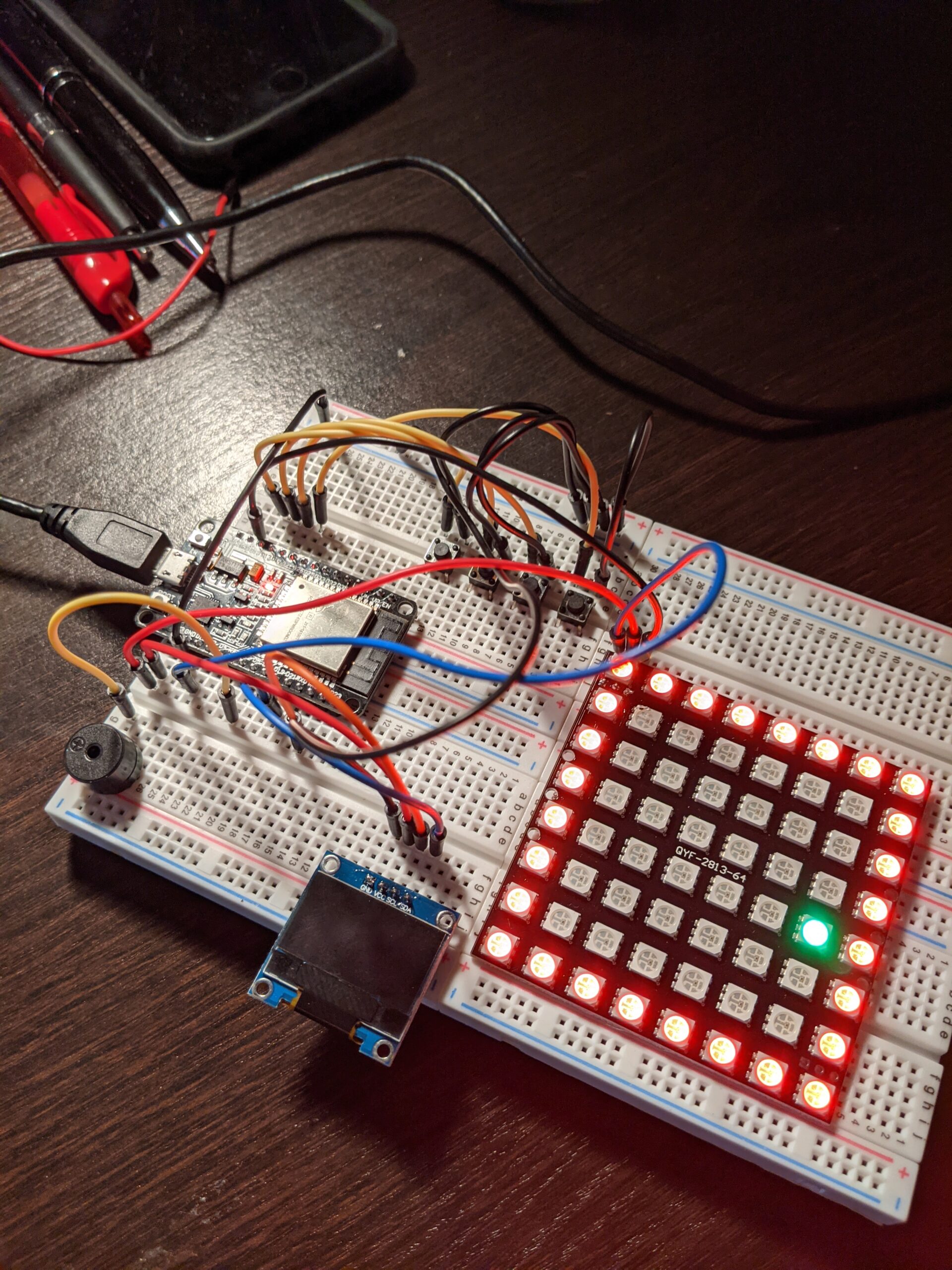
We quickly learned the importance of identifying which hardware we wanted to use early on. Initially we played around with the ESP8266, found that it wasn’t robust enough for our grandiose plans, moved to the ESP32, and then abandoned all for the pico. Our OLED screen changed quite a bit as well, with us at one point using a 1.8 inch SPI TFT LCD Display module. While lovely, cost and other practical implications kept us from pursuing a larger OLED. We were loath to have the badge burdened down with batteries and needed to keep it light.
The beginning
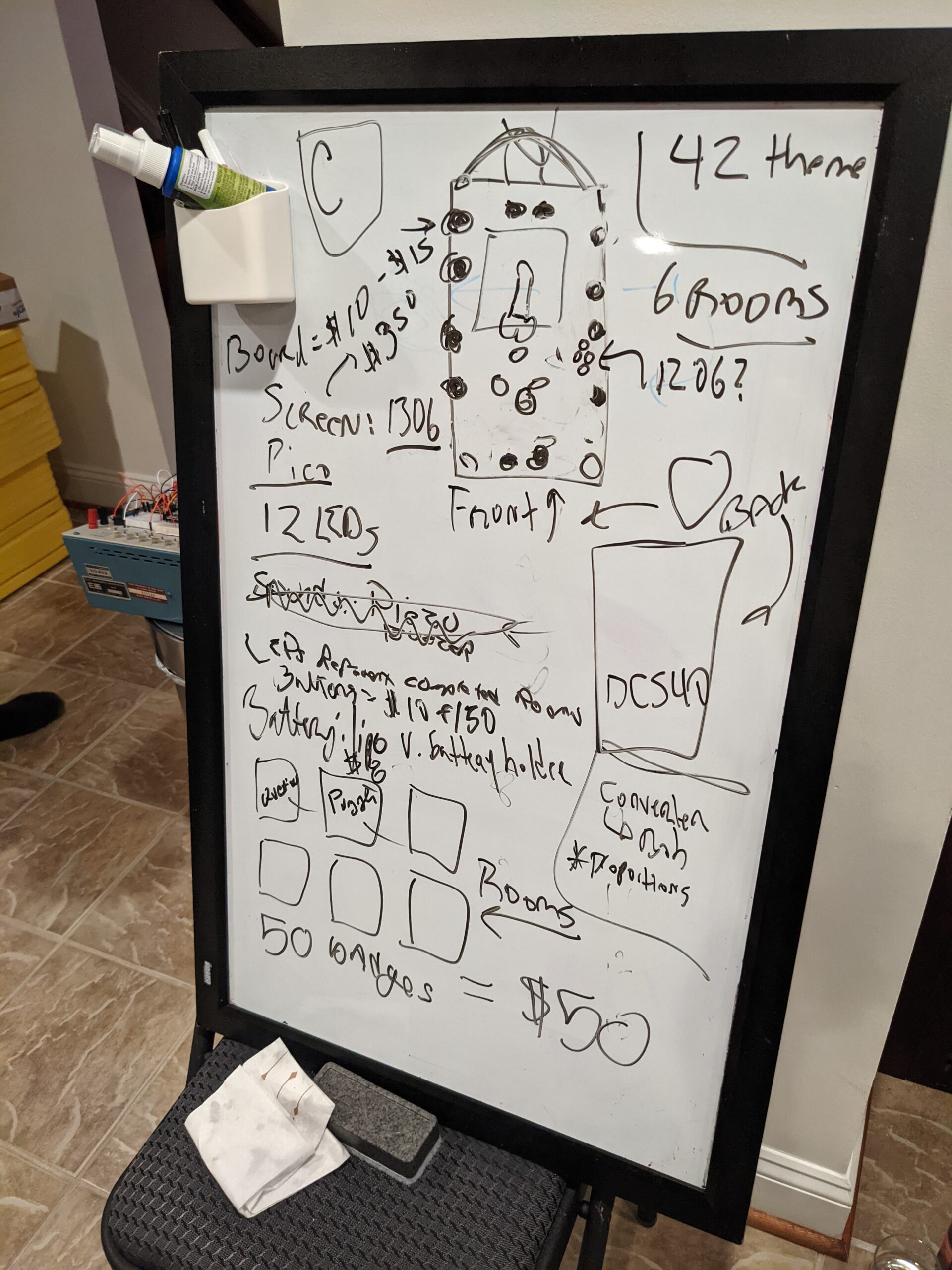
It was the end of May where we finally got serious. At one of our in-person meetings, the whiteboard came out and we started scribbling. In the next two hours, we had more forward progress than the last 6 months. We made some guesses on how much parts would cost, our general “theme” and some potential games. Shockingly, we were pretty on point with our cost estimations and were able to keep our final product at the $50 mark per badge.
A lesson on hardware
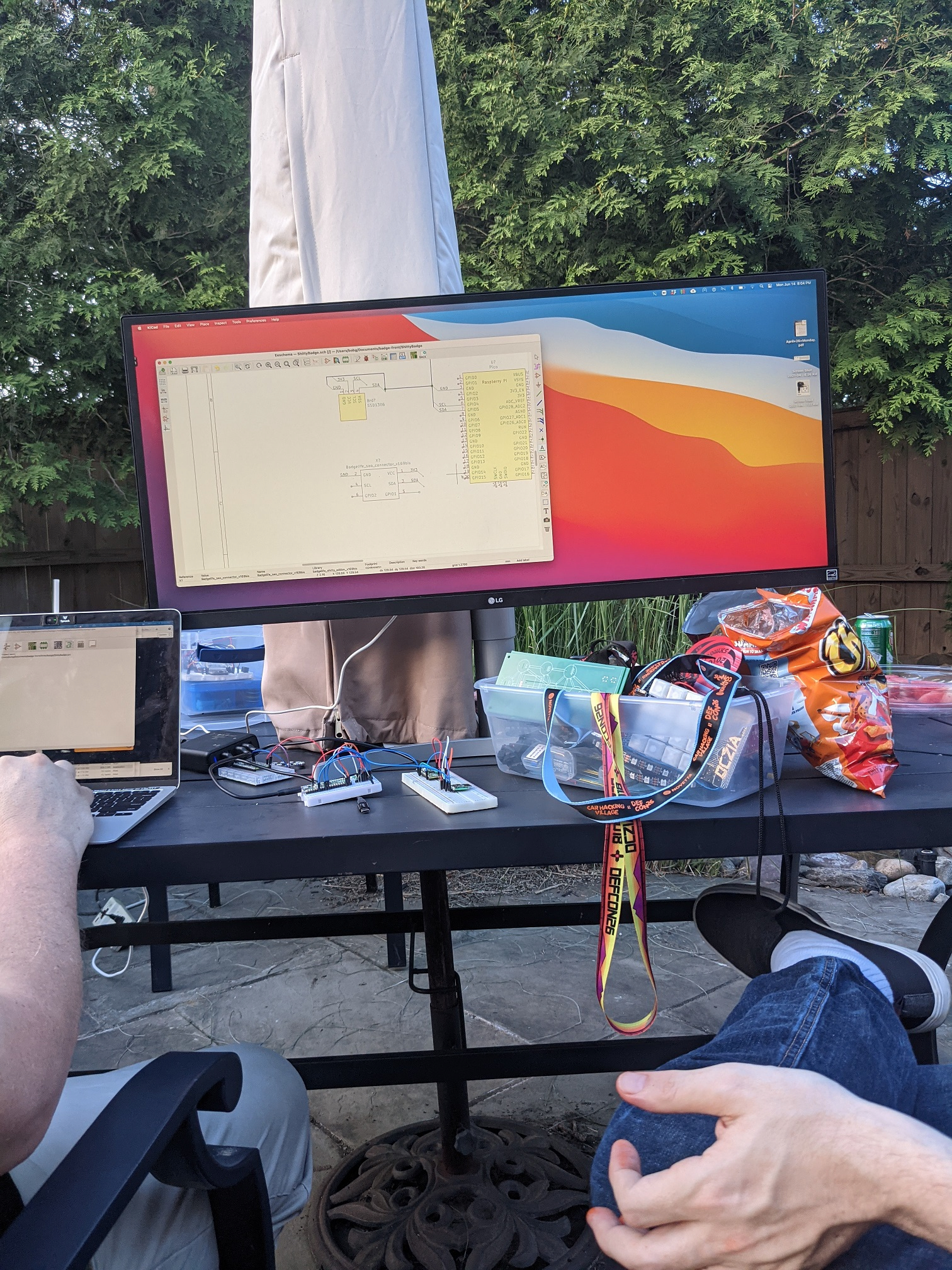
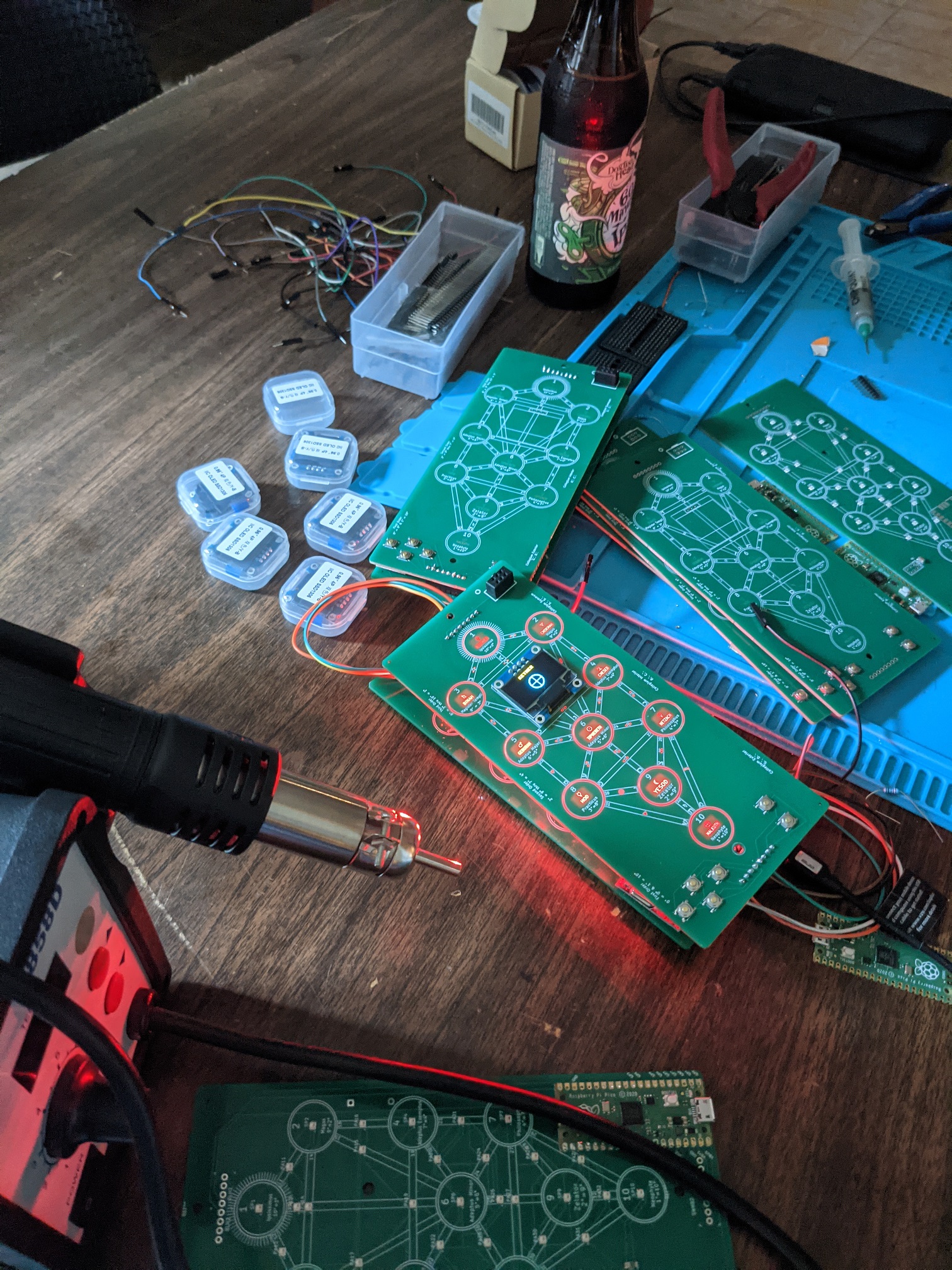
Bob played around with many ideas for the badge design and finally had inspiration with the “Tree of Life” theme, in a fit of creativity, he quickly produced one prototype after another, making each one a bit better. He used KiCad for the board designs and then gave us all a lesson on how he did it. Our imaginations went into high gear as we started planning our future badges and Shitty Add On (SAO) we could make.
Taking a closer look at a suspiciously complex program
Our first prototypes came in unexpectedly quick which was a relief, we were a month in and had little more than a month to finish up the project. Kevin worked hard, rewriting the libraries and code, each time one of us fortuitously had another good idea that resulted in more work for him. Critiques included morse code had too much fade when flashing, the badges didn’t just need to send messages to each other but also have default messages hidden inside, badges had to flash in a spectacular manner when paired with a Boss, and I needed more menus! Oh, let’s not talk about the great hash wars where we debated the merits of each encryption and nearly stopped talking to each other. At one point, I swore Kevin hadn’t slept for a week and had developed an uncontrollable twitch and would yell “no more” every time I spoke up, even when it was just to say hello.
The development of the games was especially frustrating as the goal was for the games to be very achievable by new DEFCON attendees, offer a way for people to interact with each other but still be challenging. I learned a lot about steganography, stegdetect, githubs Steganography online, using WordPress, a member helped by created a Hitchhiker’s themed crossword puzzle, the intricacies associated with morse code (using ‘dah’ and ‘dit’ over ‘dash’ and ‘dot’ and so much more.
The Final Boards
One particularly important lesson was learning to speak “developer”. What made sense in my mind didn’t necessarily make sense to our developer and how he envisioned code. There was many nights of butting heads, exasperated sighs and outright frustration over the lack of communication.
Final Assembly
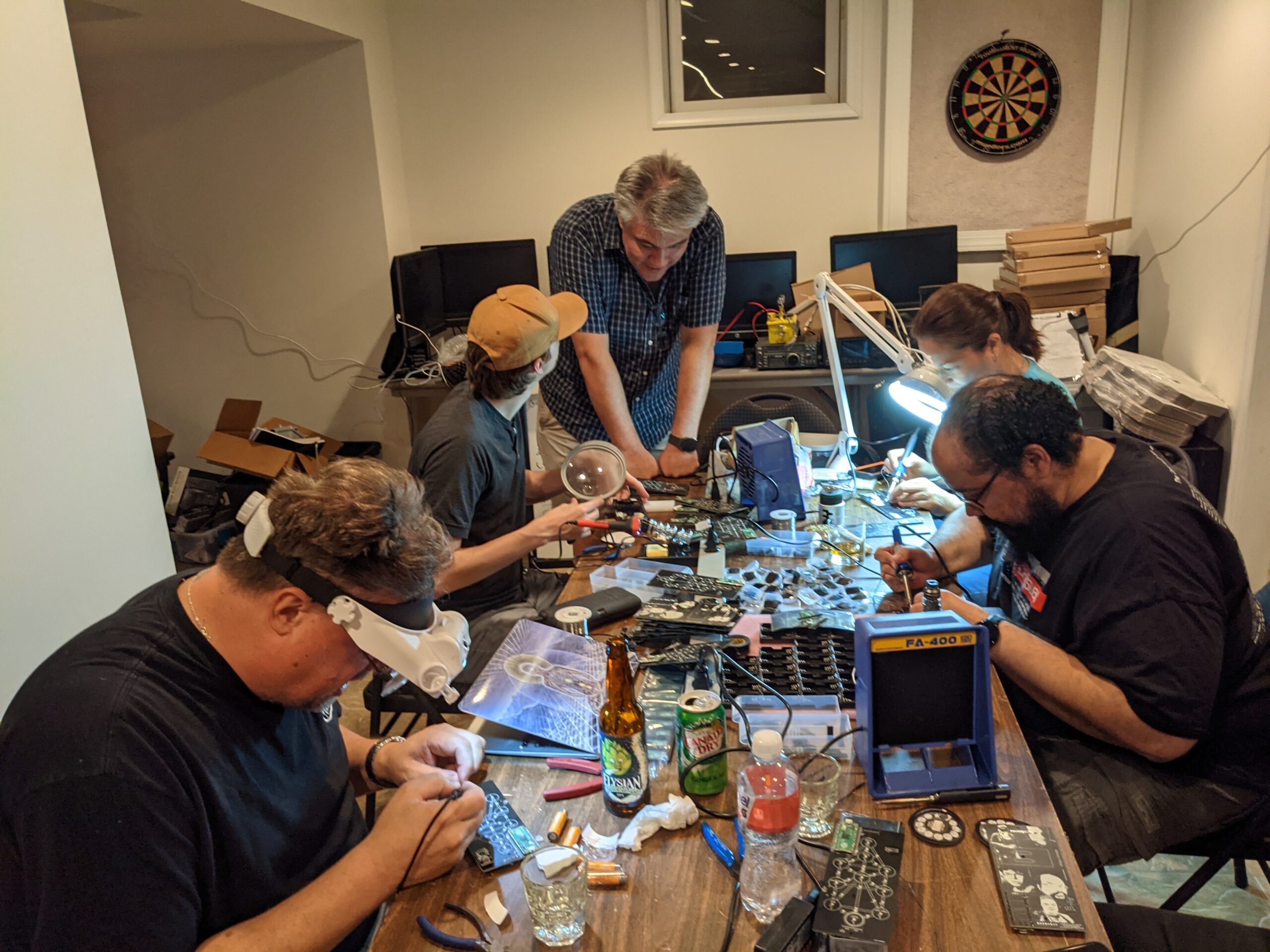
Finally we had the boards, now it was just time to solder and assemble them. In these desperate times, we called everyone together and had one large soldering party, troubleshooting any connections that just weren’t right, cursing, and drinking more whisky to sooth our burnt fingers.
I made sure to tweet- from my sweet mountain overlook
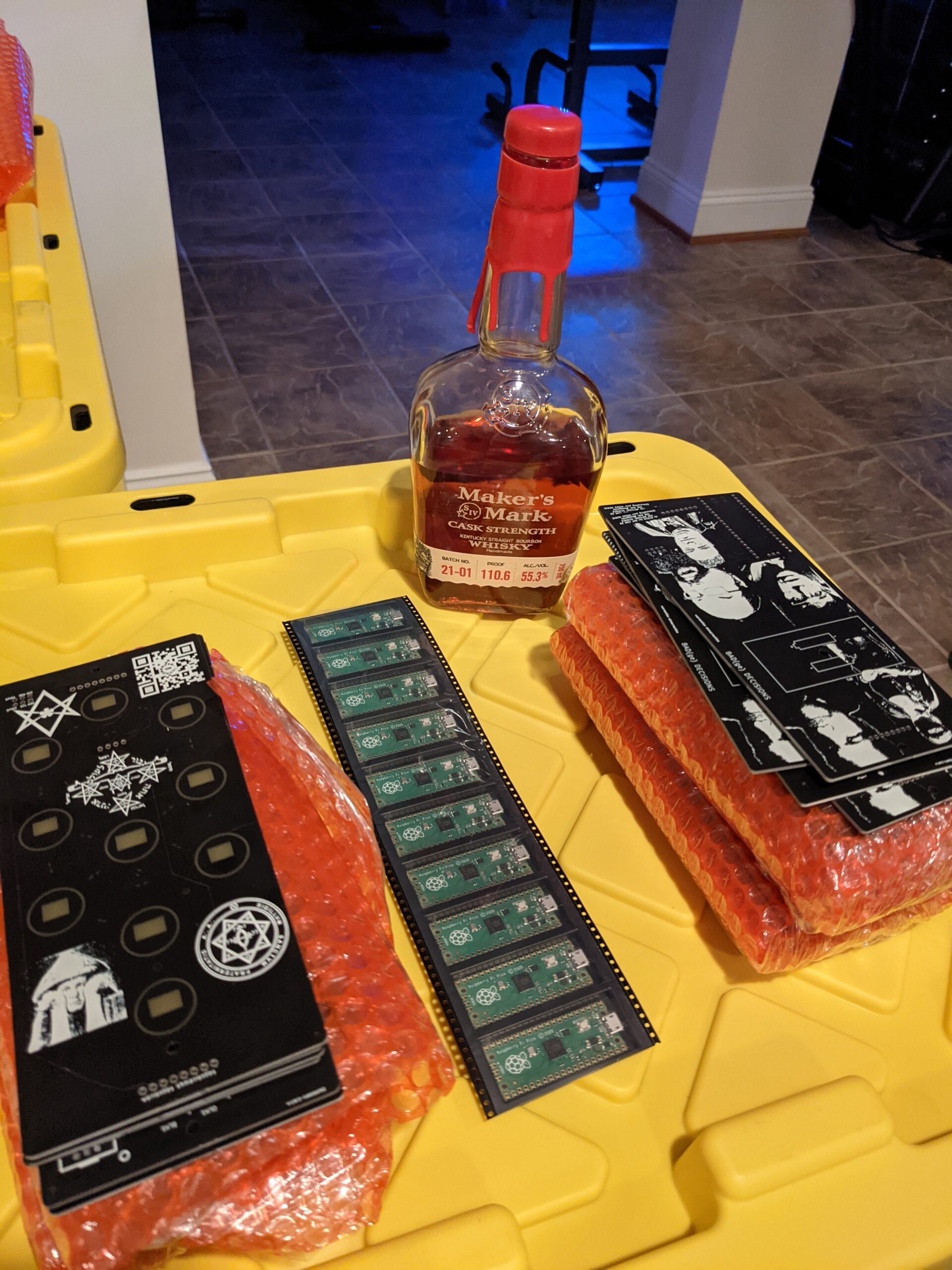
Now the last step, playing the games, traversing the rooms in the badge and seeing what would break. I hid away in a the Shenandoah Mountains for a weekend and did nothing but drink more coffee, try and break the badge and code, and debug away. With only five days before we would leave for DEFCON, we had a product we all agreed was magnificent. Our last Monday before we left, we double checked each bag, wrapped them in bubble wrap and carefully placed them in a baggie with batteries, stickers and a lanyard.
Our last task would be to hand them out at DEFCON and enjoy.
Well, except we ordered 50 more badges just a week ago, so it seems we will be packing those up and shipping them out once we get back.
Oh, and our war-torn developer just happened to ask about our next big product…..he’s already got a suggestion and we’ve begun to brainstorm away.
****** DO NOT PLUG IN THE BADGE TO A USB IF THE BATTERIES ARE INSERTED ****** If the power switch is off, it is probably fine, but use your judgement.
The DC540 Tree of Life badge has ten interactive games that can be played during DEFCON. The games vary and some can be played on the badge (morse code, ham radio questions) while others are interactive (conducting a scavenger hunt, lock picking, decoding ciphers). An explanation of games and more detailed instructions will be posted on the DC540 website Friday morning August 6th at 00:01.
Overview
The games do not need to be completed in a specific order.
Five of the games will require you to send us proof of completion. These games are: – Game 1 (Crossword Puzzle) – Game 2 (Lock Picking) – Game 5 (Scavenger Hunt) – Game 9/10 (Boss Pair)
For Games 1, 2, 5, 9, and 10, the game instructions will provide direction on how to obtain the answer but make sure to always include your badge number in your correspondence.
The other five games do not require interaction with a DC540 member to complete. Completing the game will either automatically unlock the badge or provide you with the answer.
Alternatively, you can post on our DC540 Discord Channel “dc540-tree-of-life-badge” or message us on Twitter or Discord (preferably both).
Twitter Handles: @skullsinblack and @dc540baab Discord: ‘Lyra the Damned#5380’ and dc540#3865
As the game progresses, hints and other updates will be dropped on the dc540 Twitter page (and that of the two main characters) if certain challenges are proving too difficult.
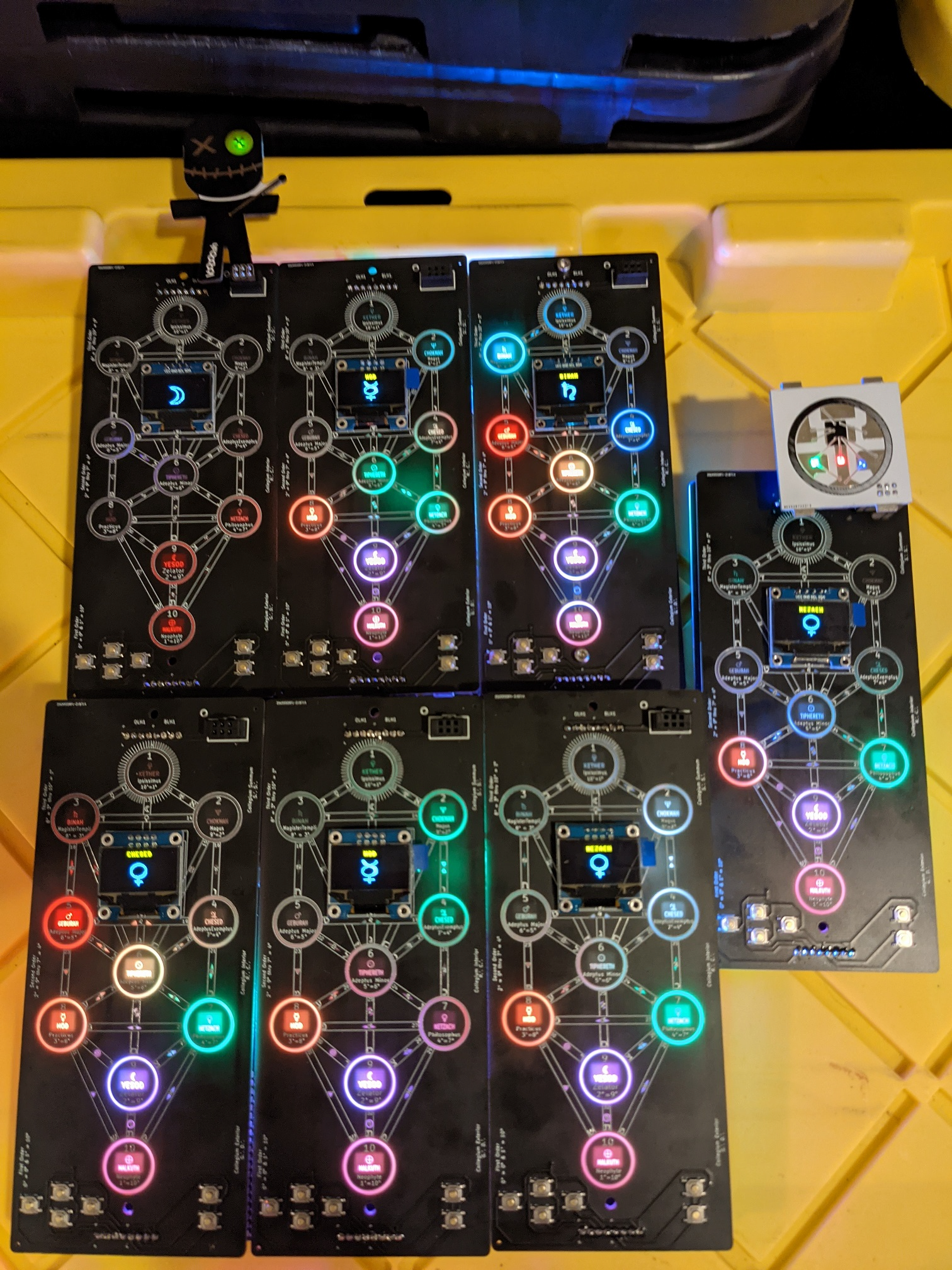
When all ten spheres are completed, the badge will FLASH RAPIDLY FOR 5 minutes. Be advised, that it is intense, and be cautious if you are nearby other people as this has the potential to trigger seizures or epilepsy. Send us a picture of all ten rooms lit up from completing the challenges. We will announce winners on our Twitter DC540 Page.
Understanding the Badge:
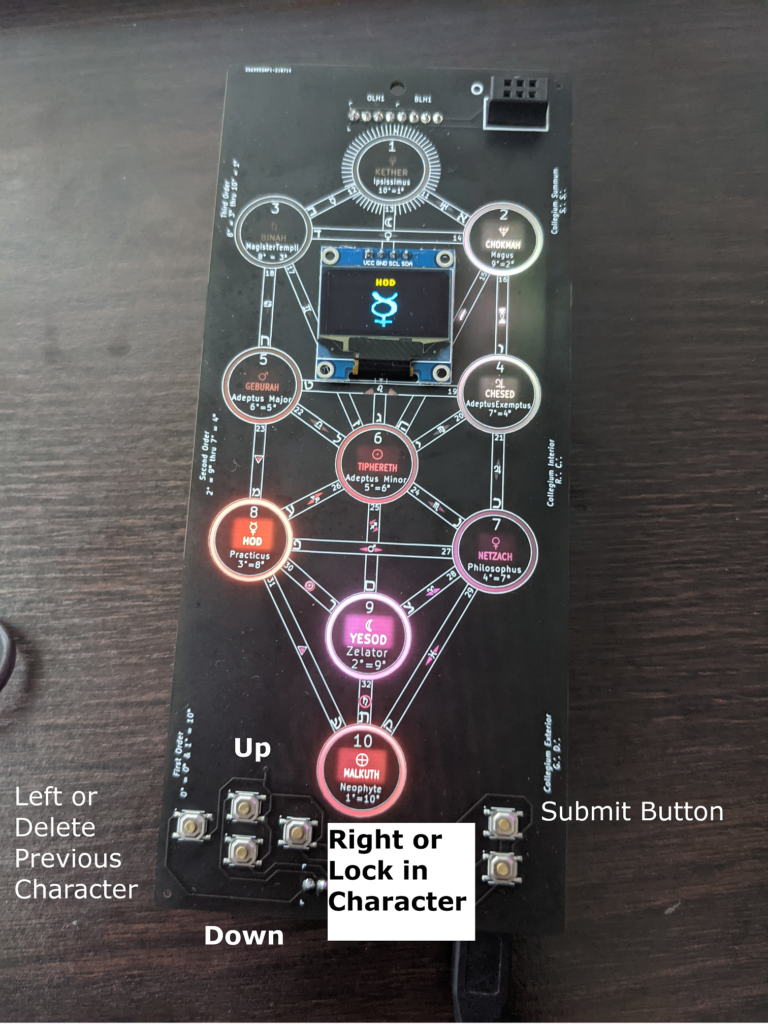
There are six buttons on the badge. – The four buttons on the left function are: Up, Down, Left and Right – The Left Button allows you to erase a previously input character. – The Right Button will allow you to “lock” in each character. – Up and Down scroll through the characters and numbers.
Button Assignment
There are two buttons on the right. The top button allows you to submit, and the button has a surprise but IT is also there for you to get creative.
Entering Answers:
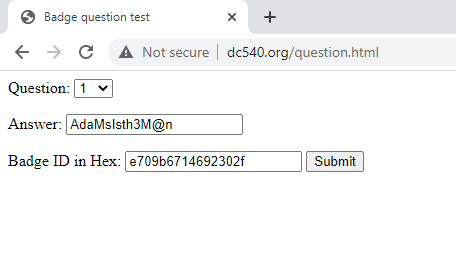
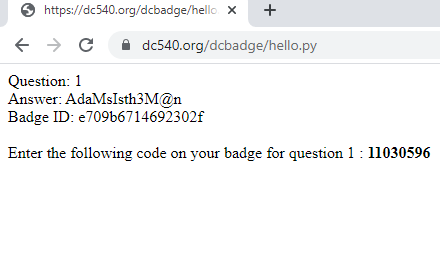
When you complete each game, you will get a case-sensitive answer. – Go to http://dc540.org/question.html, select the question number, the answer, and your badge number. – You will get back an eight-digit number that is unique to your badge. – Write down or save that number. – From your badge, go into that corresponding game, and enter that eight-digit number. You will need to “lock” in each digit and then submit. If you for the answer correct, the badge will correctly flash and blink for that challenge.
Sample SubmissionSample Output
The answers are case-sensitive. Once you complete a challenge and put the answer into the badge correctly the “room” lights up.
Prizes: We do have prizes for 1st, 2nd, and 3rd place. More information to come. First Place: 100K DEFCOIN Second Place: 10K DEFCOIN Third Place: 5K DEFCOIN