WOPR Jr, Part 2: “Dad, you’re so extra.”

Because what good is doing something if you’re not pushing the envelope?

Controlling the NUC Hades Canyon Skull LED from Ubuntu

I initially found a set of libraries and got excited about it, but they didn’t work — then I came upon this write-up, which indicated that a rewrite was needed for the Hades Canyon — and lo, there it was. With some handy code to help understand the awkward method of setting skull and eye colors and making things blinky.

To come: let’s use those eyes to trigger visual feedback for events… Or maybe blink morse code clues during a challenge, see if anyone notices…

Speaking of triggering…

You know, VMs can be precarious, and the last thing you want to do is shut down a machine that’s running a bunch of VMs. So maybe let’s take advantage of some of this amazing computing power, and, for example, use udev to trigger a startup of all VMs (in order, of course) when a particular usb key is installed; also to trigger a shutdown of the same VMs (and perhaps the entire machine!) when the key is pulled… complete with windows on the screen confirming what’s going on.

Or maybe adapting a bluetooth camera remote to do the same thing. Anything to not have to physically log in to initiate a shutdown script, right?

WOPR Jr, Part 1: Configuring a NUC Hades Canyon as a CTF Server

If you’ve been following along, we had a working CTF server on a beefy retired desktop server. It was brought to the July meeting in hopes of its debut, but a dead CMOS battery thwarted us.

Since I never like to do anything halfway, I got to thinking about what it would take to make that system more portable. This series of posts will document the process of bringing this to fruition.

Hardware

The old system was an i7-920 (4 cores, 8 threads, 2.66GHz). It was about nine years old, hence the dead CMOS battery. It was loaded with 16GB of RAM and a 500GB HDD. Skimpy by today’s server standards, but plenty of horsepower to run a dozen vulnerable VMs and the infrastructure needed to support CTFs.

I set out to get the most possible bang for my buck, with the primary factor being portability. I looked at SFF desktops and USFF desktops, and then someone I work with suggested a NUC. I started looking at specs, and realized that the latest NUC, the Hades Canyon, could FAR exceed the capabilities of that giant desktop, while fitting into a messenger bag. I started a GoFundMe to help make the purchase, since this is for the group, not for personal use, and several members donated. Not being someone who is big on patience, I jumped the gun and made a purchase, but I’m leaving the GoFundMe up. Hopefully as members and meeting attendees see the benefit of this platform, more of them will step up and offset the costs.

What I ended up with, I bought in kit form. I bought the 100W NUC8i7HVK barebones chassis, which includes the case, the motherboard, an i7-8809G processor (4 cores, 8 threads, 3.2GHz, overclockable to 4.2GHz — 82% faster according to UserBenchmark), two ethernet ports, and lots of options for video and USB. Max RAM for these is 32GB, which I ordered as Corsair Vengeance modules — so, twice the RAM of the retired desktop. Lastly, the HC comes with two M.2 slots (three, actually, but one is taken up by the wireless card). I populated the remaining two with a pair of Intel 660P NVMe SSD units in the 2TB version. I’m not even going to estimate the improvements of NVMe SSD over platter drives.

I did a bit of research before choosing an operating system. I would have been perfectly comfortable with ESXI, like the old machine, but the HC has a really gorgeous color-controllable skull LED on the top cover that probably wouldn’t be controllable from a VM. I know that’s kind of a vain reason to choose a virtualization platform, but KVM performance these days, on the right hardware, is probably right there on part with ESXi, and arguably easier to write management scripts for. Combine that with the benefit of having a front-end OS for display, monitoring and LED management, as well as configuring of external connections, and I think I came out on the right side.

I ended up choosing Ubuntu for the base OS, because it seems like enough adventurous nerds have done the research on getting the most out of the NUC with it that it wouldn’t be a long pull to get it rolling, and I think I made the right choice there. I followed these instructions to get Ubuntu 18.04LTS installed onto the NUC (I also had to upgrade the firmware of the NUC itself, and add NOMODESET to the boot options during install and permanently) and making use of the Vega M integrated graphics. I read elsewhere that Ubuntu 18.10 would install with much less effort, but I really wanted an LTS release for this project.

I purchased a tiny monitor to continue portability and allow troubleshooting on-the-fly, along with a folding keyboard.

The install went well, and the libvirt/KVM install was completely uneventful. Stay tuned for Part 2, where things start to come together, take shape, and get really exciting…
The WOPR Jr is coming…

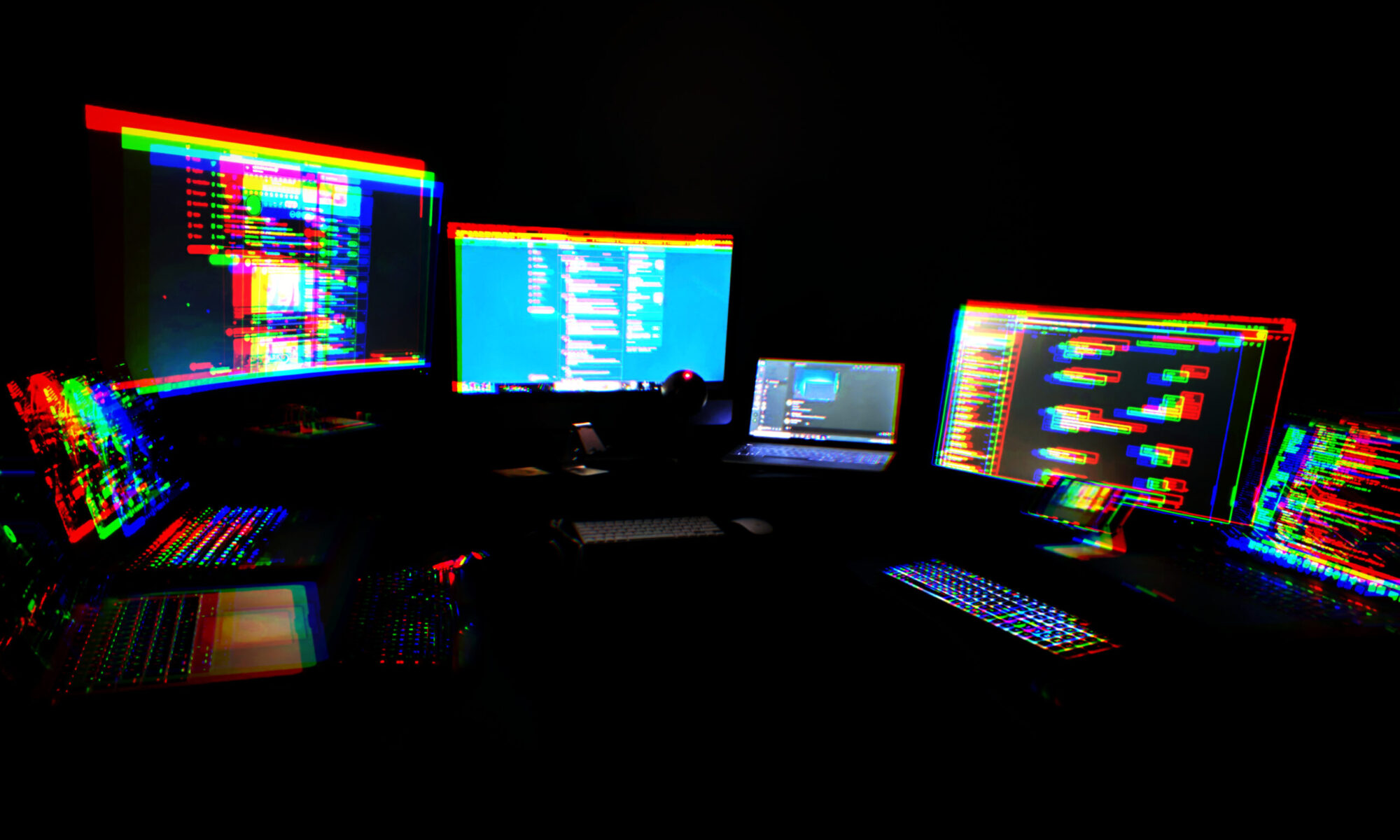
We are replacing the clunky desktop ESXi server that failed at last month’s meeting with a Hades Canyon NUC. i7-8809G, 32GB RAM, 2TB SSD. Should literally run everything we can throw at it.

We’re up to thirteen vulnerable linux VMs of varying sorts. Most have been tested. If anyone has any experience with CTF management software, let me know, otherwise we might have to write something. I’d like to track users and time-to-solve for each of the VMs to establish some baselines.

There are also a few Windows VMs. Not specifically designed for vulnerabilities, hope to have Metasploitable 3 soon, but just basic unpatched Windows machines.

I doubt the WOPR Jr will be in play by the August meeting, but most assuredly it will be in play in September. It takes time to build these things right, and I’m really considering building it out not just for vulnerable VMs, but as a full-on virtualization environment, with multiple virtual hosts, VSAN, and all that. Really it depends on when it arrives and how much spare time I have.

I am happy to be able to provide this benefit to our group. I am also happy to accept donations to help pay for it. If you or your employer would like to become a sponsor of the WOPR Jr. CTF platform, please talk to me. Don’t be under any illusions that Defcon groups are subsidized in any way. Until we find sponsors, this stuff is coming out of my own pocket. Here, have a GoFundMe.

https://www.gofundme.com/f/hack-my-shiz&rcid=r01-156595663746-5871399006ba463d&pc=ot_co_campmgmt_w

More Musings on OpenSCAP

If you come here looking for definitive answers, you’re barking up the wrong hacker. At this point and time, my relationship with OpenSCAP can be summed up with a single photograph:

In other words, don’t consider me an expert source. Consider this a documentation of the learning process. There seems to be no definitive single source or coherent integration guide that I can find that covers everything OpenSCAP. I spent some time searching for ways to scan Ubuntu boxes (my scanning box is CentOS). The CentOS packages, for both the SCAP security guide as well as the SCAP workbench, don’t include the necessary xml files to run Ubuntu scans out of the box. Google is a mixed bag, revealing projects abandoned six years ago, workaround hacks, and the like. Eventually I came across some useful information, and I thought I’d share that.

First, I’m scanning Ubuntu 16.04 boxes along with CentOS boxes. Eventually I found ssg-ubuntu-1604-ds.xml, which contains numerous security profiles for use with OpenSCAP. Running it results in errors — it’s looking for some CPE files that weren’t included for some reason in Ubuntu’s SCAP implementation, but are required. /usr/share/openscap/openscap-cpe-dict.xml and /usr/share/openscap/openscap-cpe-oval.xml can also be found by Google, once you’re made aware that you need them. They go on the scanned host, while the *ds.xml file goes on the scanner. Once it’s in place, you can load the content into SCAP Workbench and play with it.

I still haven’t figured out why my tailoring files (customization files which are able to override the test profile in order to enable or disable specific tests) are not being honored. Running the command shows the scanner copying the tailoring file into the working directory, but the tests I’m attempting to disable are still run, and still fail. So far the only way around that has been to edit the *ds.xml file itself to disable the checks, and if you’ve ever looked into one, you know it’s a bit of a beast.

All in all, it’s a fun learning process, though, and I’m definitely moving forward, so I’m not complaining and neither is my employer.

A Crash Course in OpenSCAP

So I was tasked with implementing OpenSCAP by yesterday. You know the drill. Never used it. So I started looking at it. In hindsight, you might say I jumped ahead and looked at it backwards. I installed the OpenSCAP scanner on a CentOS box and fiddled around until I got a working scan. After getting some successful scans, which presented data in a very unhelpful manner, I was shown a report generated from a preferred (by this party) style of scan. I switched to this method, and was appalled by the low scores I was getting from stock installs. I was scanning to generate reports (html files) and results (xml files), and was getting overall “score ratings” in the 50% range.

Again, in hindsight, this shouldn’t have been super surprising. I was using the DISA STIG profile as a baseline, and that profile includes many nonstandard requirements. Very deep auditing configuration, sensible partition separation, loads of policies to prevent SUID abuse, and more. Yet some of the policies seemed to be showing false positives, meaning they were reporting unfixed but clearly the system was already configured in the way that the policy dictated. So I had to dig deeper.

At first, the questions were “how do I see how this mechanism is doing this check, because clearly it’s doing it wrong?” But there were also a number of policies that don’t apply to my network, and I wanted to find out how to configure them. I could have just read through the very large .xml file and manually edited individual policy definitions to tweak or disable them, but that would take forever.

Enter SCAP Workbench. Simple solution — run it, customize an existing profile (whichever is closest to your desired posture), and run through and disable the policies that aren’t applicable. Then save “customizations only.” It will create an xml file called a “tailoring file,” which you insert where your existing policy .xml lives, and is guaranteed to boost your overall score. Just be careful not to be so lazy that you disable legitimate requirements rather than learning in depth about how to mitigate them properly.

More on this later, this is a continuing process.

Last meeting before Defcon!

Future meetings are at Stone Ridge at the Gum Spring Library, hopefully you caught that from the Meetup site.

Future meetings will include an exploitable network — an ESXi server with multiple exploitable VMs and enough basic info to get you started. Bring your own laptop/ethernet (MAY have wifi available by next meeting), boot up Kali or your favorite toolset, and pound away at it.

This was slapped together with equipment that was sitting around at my house. An i7 desktop with 16GB of RAM, specifically. I would love to move this to a USFF unit or maybe a Gen8 NUC (Hades Canyon Performance, loaded) to make it portable enough to bring to Defcon. Actively looking for a corporate sponsor to buy us one.

If you have a favorite exploitable VM you’d like to recommend to others, let me know.

At the moment, there are no specific meeting plans for Defcon. I will be working SecOps at BSidesLV pretty much all day Wednesday.

I am the Owl

I am your plumber, no I never went away
I still bug your bedrooms and pick up everything you say
It can be a boring job
To monitor all day your excess talkI hear when you’re drinking and cheating on your lonely wife
I play tape recordings of you to my friends at night 
We’ve got our girl in bed with you
You’re on candid camera, we just un-elected you, haI am the owl
I seek out the foul
Wipe ’em away, keep America free
For clean-livin’ folks like me, hey, heyIf you demonstrate against somebody we like
I’ll slip on my wig and see if I can start a riot
Transform you to an angry mob
And all your leaders go to jail for my jobBut we ain’t the Russians
Political trials are taboo
We’ve got our secret ways of getting rid of you
Fill you full of LSD
And turn you loose on a freeway, whee!I am the owl
I seek out the foul
Wipe ’em away, keep America free
For clean-livin’ folks like meI send you spinning
I send you spinning
I send you spinning all over the freeway
Spinning on the crowded freeway
Spinning on the freeway, spinning on the freeway
(Spinning on the freeway, spinning on the freeway) spin, spin, spin, look out!The press, they never even cared
Why a youth leader walked into a speeding car
In ten years or so we’ll leak the truth
But by then it’s only so much paperYou know, Watergate hurt
But nothing really ever changed
A teeny bit quiter but we still play our little gamesBut we still play our little games
But we still play our little games
We still play our little, we still play our little, we still play our little
We still play a lot of games!I am the owl
I am the owl
I seek out the foul
Wipe ’em away, keep America free
For me!

Couple of reminders…

  1. Monday’s meeting is NOT in Fredericksburg. It is in Stone Ridge (close to the Dulles Airport). If you plan to attend you must RSVP for the address.
  2. This group embraces diversity. If you don’t, don’t come.
  3. Watch your six, keep your rage in check, and don’t shit where you eat.

Revised theme?

For the April meeting, we still want to do a group build, but choose between either #0037 WaveRunner, the latest #0041, or ANY Hackerbox of your choosing. Or don’t bring a hackerbox at all. Just show up for the fun. Just show up. 🙂

March meeting wrap-up, April meeting LOCATION CHANGE!

We had a fun March meeting in the Burg. Pre-game at Red Dragon again, it was open mic night, had to get out of the way of the drunk dart players, and the UFO food truck was in attendance. Then we headed over the library where we had another new member attend. We did the usual spiel, break out the locksets, let him play and learn a bit, talk about Defcon, show off all the badges, blah blah blah, and soon enough it was over.

For the April meeting, we’re going to do something different. We’re going to hold the meeting up in Stone Ridge, VA (near the Dulles Airport, off of Rt 50 between South Riding and Aldie). RSVPd members on the Meetup page will get the specific location.

We’re going to have a group workshop on Hackerboxes. Specifically, a couple of us are going to work on Hackerbox #0037 WaveRunner. If you don’t have it, you can order it now to be sure to have it in time for the meeting. Also a good time to check your soldering kit and supplies for completeness. Alternatively, you can bring another hackerbox. Even more alternatively, you can just play pool or Galaga and drink beer with us. Just show up and be part of this thing.